Cart 0
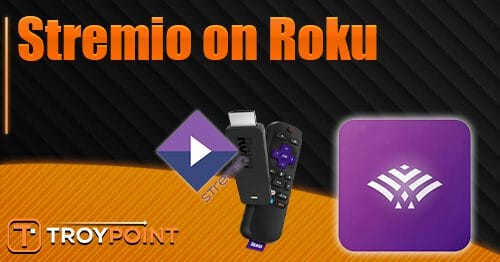

This guide will show you How to Access Stremio on Roku with Stroku.
Stremio has quickly become one of the most popular free streaming platforms in the world, thanks to its massive library of community-built addons that deliver Movies, TV Shows, Live TV, and other HD media.
It works on nearly every major device — Google TV, Firestick, Windows, macOS, Android phones/tablets, and more — providing cord-cutters with endless ways to stream.
However, Roku remains the one major platform without native Stremio support, despite being the most widely used streaming device in the U.S. This leaves millions of Roku users searching for a reliable workaround.
Fortunately, that’s exactly where Stroku comes in, allowing you to access your Stremio library and addons right on your Roku device.
TROYPOINT TIP: Because of Roku’s closed source Operating System, we strongly recommend purchasing an Android/Google TV Box which have sideloading capabilities so you can install any application you want!
In this guide, we’ll show you How to Access Stremio on Roku via the Stroku Sender from a compatible Android device. We will be using an Android tablet but those with Android phones can follow along as well.
How to Access Stremio on Roku
NOTE: Before getting started, you will want to make sure you have setup Stremio and installed the application on your Android device.
Using Stremio on Roku involves two steps – installing Stroku Receiver on Roku via the Channel Store and downloading Stroku Sender on Android.
Step 1 – Install Stroku Receiver
1. On your Roku device, open the Channel Store and search for Stroku. Select Stroku Receiver.

2. Choose Add app.

3. Click Open app.

4. The Stroku Receiver will now launch. You should see “Ready to receive streams” message.

Step 2 – Install Stroku Sender on Android
We will now use our Android device to connect Stremio to Roku.
🛑 HURRY – SURFSHARK VPN DISCOUNT
Surfshark VPN Exclusive Discount
Surfshark VPN Exclusive Discount
Your online activity is monitored by your ISP, app/addon/IPTV devs, government, and all websites.
🔒 Become anonymous while streaming & downloading with Surfshark VPN
Save 87% with 24-Month Plan + Get 3 FREE Months
Use on Unlimited Devices & Share 1 Account with Entire Family
CLAIM DEAL HERE
1. Open your preferred browser and visit the official Stroku website – stroku.netlify.app.

2. Scroll down to find Stroku Sender and click Download.

3. Choose Download Anyway.

4. Click Open.

5. Select Install.

6. Choose Done.

Once installed, we can use the Stroku App to access Stremio on Roku.
Step 3 – Watch Stremio on Roku
IMPORTANT: Before sending Stremio to Roku from Android, make sure both devices are on the same wireless network.
1. Open the Stremio App on your Android device and play your preferred content.

2. Click the screen to launch menu options and select Play in external player.

3. Choose Stroku Sender and select Always.

4. Locate your Roku device and click Send.

5. You will encounter “Video sunt successfully!” message.

6. Your film or show will now begin to play on your Roku device.

Enjoy!
Final Thoughts
Even though using an alternative device (Onn 4K Pro/4K Plus) with installation capabilities is the preferred method for viewing, those who own a Roku can still access Stremio with our guide above.
We are happy that we found Stroku and thankful to the developers who keep this project going. You can find more details/information on their official website.
Let us know what you think of Stroku to access Stremio on Roku. Drop a comment in the comment section below!
This page includes affiliate links where TROYPOINT may receive a commission at no extra cost to you. Many times, visitors will receive a discount due to the special arrangements made for our fans. Learn more on my Affiliate Disclaimer page.

The official URL for this IPTV service is https://yeah-iptv.com/