Cart 0
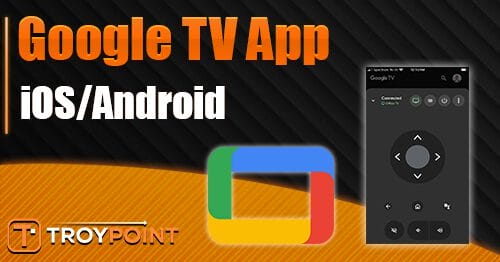

Below you will find everything you need to know about the Google TV app for iOS and Android devices, including how to install it and use its most helpful features.
The Google TV App is an extremely useful tool for anyone who owns a Google TV or Android TV streaming device and wants to sync it with their phone.
Instead of fumbling with a clunky remote to type in long app names or login credentials, you can pull out your phone and use the built-in keyboard to enter text in seconds.
This alone saves time and frustration, especially when downloading new apps, signing into streaming services, or adding Stremio Addons to popular APKs & more.
The app also turns your smartphone into a full-featured remote control with navigation buttons, voice search, and quick access to settings. That means you can browse content, launch apps, adjust volume, and control playback without ever picking up the physical remote.
Continue reading to learn how to install the Google TV mobile app on your phone/tablet and how to sync it to your preferred media device(s).
Google TV App on iOS/Android
Follow our guide below that will show you how to install, pair, and use the Google TV App on your iPhone/iPad/Android.
In this guide, we are using an Onn 4K Pro but these instructions will also work for any Google TV/Android Box including Google TV Streamer, Onn 4K Plus, NVIDIA SHIELD, and more.
Step 1 – Install Google TV App from Your App Store
1. Open your device’s app store and search for Google TV. Click Get.

2. Select Install.

Step 2 – Pair with Your Streaming Device
1. Launch the Google TV App and click Continue.

2. When prompted, choose Allow.

3. You are now in the main dashboard of the Google TV App. In the bottom right hand corner, select your Devices as pictured.

🛑 HURRY – SURFSHARK VPN DISCOUNT
Surfshark VPN Exclusive Discount
Surfshark VPN Exclusive Discount
Your online activity is monitored by your ISP, app/addon/IPTV devs, government, and all websites.
🔒 Become anonymous while streaming & downloading with Surfshark VPN
Save 87% with 24-Month Plan + Get 3 FREE Months
Use on Unlimited Devices & Share 1 Account with Entire Family
CLAIM DEAL HERE
4. Click the device you wish to pair.

5. On your Google TV, you will then see a Device pairing request.

6. Input the Code provided on your Google TV App and click Pair.

Congrats! You have successfully synced your Google TV App with your media streaming device.
How to Use Google TV App
There are tons of ways to use the Google TV App to your advantage to navigate your device without using the provided remote control.
If you have a Android/Google Box, we strongly recommend installing and pairing this app with your device so that you always have a “backup” remote if you lose yours or it stops working.
This is a fabulous way to control your Google TV right from your phone and many prefer this method as there are tons of advantages!
The biggest one is that you can use your phone’s keyboard to type long URLs, input username/password, and more without using the provided remote which can be a painstaking process.
This is extremely useful when inputting Manifest URLs for Stremio Addons, Kodi Addons, and more in various applications/APKs.

When you see a screen like the one above, simply open the Google TV App and click the Keyboard icon to quickly type your URL etc.

You can also engage the directional pad to navigate the device including the voice command function and more.

Those interested can also use the Google TV App to Browse Trending Movies/Shows with the For You page.

If you have saved media, it will also appear in Your stuff including Watchlist and Library.

The Highlights page provides new show announcements, trailers, and much more.

If you are a cord-cutter who frequently uses your Google or Android Box, the Google TV is a must have application that will improve your streaming experience.
Let us know how you use it in the comments below!
This page includes affiliate links where TROYPOINT may receive a commission at no extra cost to you. Many times, visitors will receive a discount due to the special arrangements made for our fans. Learn more on my Affiliate Disclaimer page.
The official URL for this IPTV service is https://yeah-iptv.com/